SharePoint 2013 Migration to Microsoft 365: The Complete Enterprise Migration Guide
Table of contents
- Quick Answer: How Do You Migrate from SharePoint 2013 to Microsoft 365?
- Key takeaways
- Ready to migrate from SharePoint 2013 to Microsoft 365?
- Why Migrate from SharePoint 2013?
- Legacy SharePoint 2013 risk categories
- Key benefits include:
- SharePoint Server 2013 vs Microsoft 365: What's the Difference?
- Assessing Your Current SharePoint Environment
- SharePoint 2013 technical assessment checklist
- What Should You Migrate - and What Should You Retire?
- The R.O.T. analysis framework
- Content rationalization decision matrix
- Choosing the right migration strategy
- Strategy comparison and selection matrix
- Modernizing Business Processes During Migration
- SharePoint 2013 modernization conversion pathway
- Security and Governance in Microsoft 365
- Enterprise governance framework
- Common Enterprise Migration Challenges
- Enterprise Migration Roadmap
- Phase-by-phase timeline and deliverables
- Best Practices for SharePoint Modernization
- Modernization action checklist
- Why Choose Emerline for Your SharePoint Modernization
- Emerline service delivery pillars
- Frequently Asked Questions
- Can SharePoint 2013 be migrated directly to Microsoft 365?
- What happens to legacy SharePoint Designer workflows during migration?
- Can InfoPath forms be migrated directly to SharePoint Online?
- How long does an enterprise SharePoint 2013 migration take?
- Should an organization migrate all existing content to Microsoft 365?
- What are the primary risks associated with a SharePoint 2013 cloud migration?
Many enterprise organizations continue to rely on SharePoint Server 2013 for document management, corporate intranets, collaboration, and core business workflows. However, aging physical infrastructure, rising maintenance overhead, expanding security threats, and the shift toward distributed hybrid work make legacy SharePoint environments increasingly difficult - and risky - to maintain.
Migrating to Microsoft 365 provides far more than a simple cloud hosting platform. It offers an opportunity to modernize enterprise content management, enforce Zero Trust security, unify collaboration through Microsoft Teams, replace fragile legacy customizations with the Power Platform, and eliminate physical infrastructure management.
This guide provides CIOs, IT Directors, Enterprise Architects, and Microsoft Platform Owners with a comprehensive framework for planning, executing, and optimizing an enterprise SharePoint 2013 migration to Microsoft 365.
Quick Answer: How Do You Migrate from SharePoint 2013 to Microsoft 365?
Migrating from SharePoint 2013 to Microsoft 365 starts with assessing your current environment, identifying outdated content, and deciding what should be migrated, archived, or removed. The next step is redesigning your information architecture by replacing legacy site hierarchies with modern SharePoint Online sites and Hub sites. After that, content, permissions, and business processes are migrated, while legacy SharePoint Designer workflows and InfoPath forms are rebuilt using Power Automate, Power Apps, or other Microsoft 365 services. Finally, organizations establish cloud governance with Microsoft Purview, Multi-Factor Authentication (MFA), and Conditional Access to improve security and compliance.
A successful SharePoint 2013 migration is more than moving files to the cloud - it modernizes your collaboration platform, business processes, and governance for Microsoft 365.
Key takeaways
- Migration is more than moving to the cloud: Migrating from SharePoint 2013 is an opportunity to modernize your digital workplace, not just move existing content and infrastructure to SharePoint Online.
- Redesign your information architecture: Traditional hierarchical site collections and subsites should be replaced with a modern flat architecture connected through SharePoint Hub sites for better scalability and easier management.
- Modernize workflows and forms: SharePoint Designer workflows and InfoPath forms are no longer supported. They should be reviewed and rebuilt using Microsoft Power Automate, Power Apps, or Azure-based solutions where needed.
- Strengthen security and governance: SharePoint Online uses a cloud-first security model. Organizations should adopt Zero Trust principles with Microsoft Purview, Multi-Factor Authentication (MFA), and Conditional Access to protect users and data.
- Focus on user adoption: Successful migration is not just a technical project. Clear communication, employee training, and change management are essential to help users adopt the new platform and maximize its business value.
Ready to migrate from SharePoint 2013 to Microsoft 365?
Emerline helps organizations plan and execute secure SharePoint 2013 to Microsoft 365 migrations, from assessment and content migration to modernization of workflows, security, and governance. Contact Emerline to discuss your SharePoint migration strategy.
Why Migrate from SharePoint 2013?
SharePoint Server 2013 reached its End of Support on April 11, 2023. Organizations that continue using the platform face growing security, operational, and financial risks. Without security updates, modern collaboration capabilities, and ongoing product innovation, maintaining SharePoint 2013 becomes increasingly expensive and difficult over time.
Legacy SharePoint 2013 risk categories
| Risk Category | Core Threat and Operational Impact | Business Impact |
| Security Risks | No security updates or patches, increasing exposure to cyber threats and zero-day vulnerabilities. | Greater risk of data breaches, compliance issues, and regulatory penalties. |
| Infrastructure Costs | Ongoing investment in servers, SQL databases, storage, backups, and data center operations. | Higher maintenance costs and fewer resources available for digital transformation initiatives. |
| Operational Challenges | Aging customizations, unsupported workflows, and limited integration with modern Microsoft services. | Increased IT workload, reduced system reliability, and slower business processes. |
| Limited Collaboration | Lack of modern collaboration features such as real-time co-authoring, seamless mobile access, and integrated Microsoft Teams experiences. | Lower employee productivity and greater reliance on unsupported third-party tools. |
| Innovation Gap | No access to Microsoft 365 innovations, including Microsoft Copilot, AI-powered search, and cloud automation. | Organizations miss opportunities to improve efficiency, automation, and decision-making. |
Migrating to Microsoft 365 and SharePoint Online helps organizations address these challenges while modernizing their digital workplace.
Key benefits include:
- Lower infrastructure costs: Eliminate the need to maintain on-premises SharePoint servers, SQL infrastructure, storage, and backup systems.
- Improved security and compliance: Benefit from continuous security updates, Microsoft Purview, data loss prevention (DLP), Multi-Factor Authentication (MFA), and Conditional Access.
- Modern collaboration: Enable real-time document co-authoring, Microsoft Teams integration, secure remote access, and mobile productivity.
- Reduced technical debt: Replace unsupported SharePoint Designer workflows, InfoPath forms, and legacy farm solutions with modern Microsoft 365 services such as Power Automate and Power Apps.
- Access to continuous innovation: Take advantage of Microsoft 365 capabilities, including Microsoft Copilot, AI-powered search, intelligent document processing, and regular feature updates without managing on-premises infrastructure.
SharePoint Server 2013 vs Microsoft 365: What's the Difference?
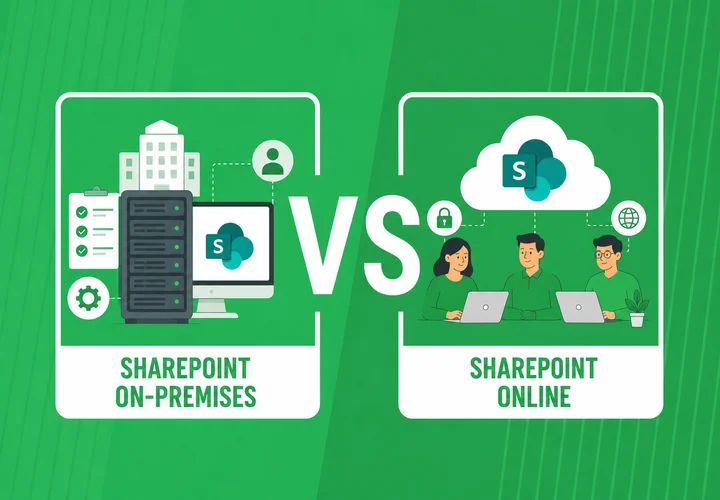
While SharePoint Server 2013 remains a capable document management platform, Microsoft 365 delivers a fundamentally different approach to collaboration, security, and digital workplace management. The move to SharePoint Online is not simply an infrastructure upgrade - it introduces cloud-native architecture, continuous innovation, AI-powered productivity, and integrated Microsoft 365 services.
The table below compares the key differences between SharePoint Server 2013 and Microsoft 365.
| Architectural Aspect | SharePoint Server 2013 | Microsoft 365 (SharePoint Online) |
| Architecture Model | On-premises collaboration platform | Cloud-native SaaS ecosystem |
| Infrastructure Management | Managed entirely by the organization (servers, SQL, storage) | Fully managed by Microsoft |
| Updates and Innovation | Manual patching, service packs, and costly upgrade cycles | Continuous updates, instant feature releases, and automatic patching |
| Security Framework | On-premises perimeter security | Cloud-native Zero Trust security |
| Collaboration Capabilities | Traditional legacy site collaboration | Modern digital workplace (Microsoft Teams, OneDrive, SharePoint) |
| Artificial Intelligence (AI) | No native AI integration | Embedded AI capabilities (Microsoft Copilot, intelligent processing) |
| Business Value | Infrastructure hosting platform | Comprehensive digital workplace modernization |
The biggest difference between SharePoint Server 2013 and Microsoft 365 is architectural. SharePoint 2013 was designed as an on-premises collaboration platform that requires organizations to manage infrastructure, updates, and security. Microsoft 365 shifts those responsibilities to Microsoft while providing modern collaboration tools, cloud-native security, AI capabilities, and continuous innovation. For most organizations, migrating to SharePoint Online is not just a platform upgrade - it is an opportunity to modernize the entire digital workplace.
Assessing Your Current SharePoint Environment
A successful SharePoint 2013 to Microsoft 365 migration starts with a detailed assessment of the existing environment. Many migration issues occur because organizations begin moving content before understanding their current SharePoint architecture, customizations, security model, and business dependencies.
Before selecting migration tools or defining a migration roadmap, teams should create a complete inventory of the SharePoint environment and identify what should be migrated, redesigned, archived, or retired.
SharePoint 2013 technical assessment checklist
| Assessment Pillar | Target Assets and Technical Scope | Key Migration Considerations |
| Content and Data | Site collections, subsites, storage volume, file path lengths, version histories. | Identify deep subsite trees to flatten and long file paths (>400 chars). |
| Customizations | Server-side C# solutions (.wsp), web parts, HTTP modules, master pages. | C# code cannot run in cloud; must re-engineer to SPFx or Azure. |
| Workflows and Forms | 2010/2013 workflow engines, InfoPath templates (.xsn), custom forms. | Inventory active vs. inactive items; map conversion to Power Platform. |
| Security and Access | Farm admins, broken permission inheritance, active vs. orphaned AD users. | Clean up direct permissions; map users to modern Entra ID groups. |
A complete assessment provides the foundation for a predictable migration. It helps organizations reduce technical debt, avoid unnecessary content migration, and design a modern SharePoint Online environment aligned with business requirements.
What Should You Migrate - and What Should You Retire?
One of the biggest mistakes organizations make during a SharePoint 2013 migration is trying to move everything to Microsoft 365.
Over the years, SharePoint environments accumulate duplicate documents, outdated project sites, unused libraries, and legacy customizations that no longer support business operations. Migrating this content increases project complexity, consumes additional storage, and makes the new SharePoint Online environment harder to manage.
Before migration begins, every site, document library, and business application should be evaluated to determine whether it should be migrated, modernized, archived, or retired.
The R.O.T. analysis framework
The R.O.T. (Redundant, Obsolete, and Trivial) framework helps organizations identify content that no longer delivers business value.
- Redundant: Duplicate documents, multiple versions of the same files, outdated site backups, and copied document libraries.
- Obsolete: Completed project sites, inactive team sites, content owned by former employees, and records that are no longer used for business operations.
- Trivial: Personal files, temporary working documents, test content, system-generated files, and other non-business information.
Removing R.O.T. content before migration reduces storage costs, shortens migration timelines, and improves the overall quality of the new Microsoft 365 environment.
Content rationalization decision matrix
| Business Value | Current Usage | Retention Requirement | Recommended Action | Target Location |
| High | Frequently used | Not applicable | Migrate as-is | Modern SharePoint Team Sites or Communication Sites |
| High | Rarely used | Not applicable | Modernize and rebuild business processes | Power Automate, Power Apps, SharePoint Framework (SPFx), or Azure services |
| Low | Inactive | Legal or regulatory retention required | Archive | Azure Blob Storage, Azure Files, or Microsoft 365 archival solutions |
| Low | Inactive | Retention period expired | Securely retire or delete | Remove before migration |
Emerline advice: Don't treat migration as a file transfer project. Treat it as an opportunity to clean up your SharePoint environment, simplify information architecture, and migrate only the content that continues to deliver business value. This approach reduces migration effort, improves user adoption, and creates a cleaner, more manageable Microsoft 365 environment.
Choosing the right migration strategy
The right migration approach depends on more than technical requirements. Organizations should consider content volume, business priorities, compliance needs, available resources, migration timeline, and the level of modernization they want to achieve.
While a simple lift-and-shift approach may appear faster, it can transfer years of outdated structures and technical debt into Microsoft 365. For many enterprises, migration is an opportunity to redesign the digital workplace, simplify information architecture, and adopt modern security and collaboration capabilities.
Strategy comparison and selection matrix
| Strategy Approach | Core Methodology | Primary Pros | Primary Cons | Ideal Enterprise Scenario |
| Lift-and-Shift | Direct technical move of existing sites and folders with automated tools. | Fast execution; lower initial migration cost. | Imports legacy clutter; preserves poor subsite architecture. | Tight deadlines (e.g., data center exit); simple farms. |
| Modernization During Migration | Restructures hierarchies into flat site collections; modernizes workflows during move. | Maximizes cloud ROI; eliminates technical debt; enforces Zero Trust. | Requires greater upfront planning and stakeholder engagement. | Recommended for core enterprise intranets and apps. |
| Greenfield Architecture | Builds fresh Microsoft 365 environment; selectively moves active curated data. | Completely clean environment; strict security from Day 1. | Requires significant business effort to curate content. | Disorganized legacy farms; heavily regulated industries. |
| Hybrid Migration | Connects on-prem farm to M365; migrates content in phases over extended timeline. | Minimal cutover disruption for multi-terabyte environments. | Dual operational overhead; prolonged identity coexistence. | Massive global enterprises (>10 TB) needing phased moves. |
Emerline advice: For most organizations moving from SharePoint Server 2013 to Microsoft 365, a modernization-focused approach provides the best long-term value. Instead of simply moving legacy content, organizations can redesign their SharePoint environment around modern site architecture, Microsoft 365 security, automation, and collaboration capabilities. A successful migration should create a cleaner, more secure, and more scalable digital workplace - not just reproduce the limitations of the previous platform.
Modernizing Business Processes During Migration
A SharePoint 2013 to Microsoft 365 migration is not only a content move. Many legacy business processes depend on technologies that are no longer supported in the cloud, including SharePoint Designer Workflows, InfoPath Forms, and full-trust server-side customizations.
During migration, these components should be assessed and redesigned using modern Microsoft 365 services. The goal is not to replicate outdated solutions, but to create more scalable, secure, and maintainable business processes.
SharePoint 2013 modernization conversion pathway
| Legacy SharePoint 2013 Component | Modern Microsoft 365 Target Solution | Engineering Approach |
| Simple Workflows (Notifications, linear approvals) | Microsoft Power Automate | Standard Cloud Flows with approval center integration. |
| Complex Workflows (Multi-stage, state machines) | Power Automate and Azure Logic Apps | Child flows, business decision rules, Azure Logic Apps. |
| Enterprise Workflows (High-volume, deep ERP integration) | Azure Serverless / Azure Functions | Custom microservices integrated via Microsoft Graph API. |
| Simple Data Forms | Microsoft Forms / List Forms | Out-of-the-box M365 form web parts. |
| Complex Business Forms (Multi-tab, dynamic validation) | Microsoft Power Apps | Canvas or Model-Driven Power Apps connected to SharePoint. |
| Full-Trust C# Code and Web Parts | SharePoint Framework (SPFx) | Modern client-side JavaScript/TypeScript components. |
Simply migrating legacy workflows and forms without redesign creates the same limitations in a new environment. Modernizing these components allows organizations to take advantage of Microsoft 365 capabilities such as automation, low-code development, cloud scalability, and improved integration with Teams, Power Platform, and enterprise systems.
Security and Governance in Microsoft 365
On-premises security relies on network perimeters and Active Directory domain boundaries. Moving to Microsoft 365 requires adopting a Zero Trust security model governed by Microsoft Purview and Microsoft Entra ID.
Enterprise governance framework
| Governance Pillar | Platform Solution Component | Core Security Function |
| Identity and Access | Microsoft Entra ID | Multi-Factor Authentication (MFA), Conditional Access, Privileged Identity Management (PIM). |
| Data Protection | Microsoft Purview Information Protection | Sensitivity Labels, automated encryption, Data Loss Prevention (DLP) policies. |
| Lifecycle Management | Microsoft Purview Data Lifecycle | Automated document retention policies, legal holds, regulatory record disposition schedules. |
| Access Control | Microsoft 365 Groups and Entra ID | Role-based access, elimination of custom permission inheritance, guest sharing boundaries. |
Common Enterprise Migration Challenges
Large-scale SharePoint migrations involve more than moving documents from one platform to another. Technical limitations, legacy configurations, security models, and user adoption challenges can affect migration timelines and long-term success.
Identifying these risks early allows organizations to prepare mitigation strategies, reduce disruption, and build a more stable Microsoft 365 environment.
| Challenge Area | Technical Root Cause | Mitigation Strategy |
| File Path Length Limits | M365 enforces max path limit of 400 characters; deep subsite trees breach threshold. | Flatten site architecture into modern site collections; rename long folder paths automatically. |
| Large Files and Throttling | High-volume migration streams trigger M365 tenant API throttling limits. | Use M365 Migration API; execute bulk transfers during off-peak hours with multi-threaded agents. |
| Broken Hardcoded Links | Legacy pages contain hardcoded absolute URLs (http://intranet/...). | Run automated link-correction tools post-migration; configure URL redirection mapping rules. |
| Orphaned Metadata | Historical content linked to deleted or disabled Active Directory accounts. | Map disabled accounts to a designated system account or archive user mapping table prior to cutover. |
| Permission Bloat | Decades of broken permission inheritance degrade performance and cloud sync. | Reset unique permissions; consolidate access rules into Entra ID and M365 Group security models. |
| User Adoption Resistance | Users accustomed to classic interfaces resist modern flat sites and Teams patterns. | Execute structured Change Management (OCM); build Champions network; deliver role-based training. |
Enterprise Migration Roadmap
A typical enterprise SharePoint 2013 migration spans 3 to 9 months, depending on content volume, site complexity, workflow conversion requirements, and organizational readiness.
Phase-by-phase timeline and deliverables
| Phase | Duration | Core Engineering Activities | Key Milestone Deliverable |
| Phase 1: Discovery | Weeks 1–4 | Run discovery scripts; inventory sites, storage, permissions, code, and workflows. | Discovery and Risk Assessment Report |
| Phase 2: Planning | Weeks 3–6 | Design modern site architecture; establish Purview security; map workflow conversions. | Architecture and Security Blueprint |
| Phase 3: Cleanup | Weeks 5–8 | Execute R.O.T. analysis; remediate long file paths; pre-provision target sites. | Clean Source Environment |
| Phase 4: Pilot | Weeks 7–10 | Migrate representative pilot sites; test converted workflows and forms; refine agents. | Pilot Acceptance and Performance Tuning |
| Phase 5: Production | Weeks 9–20 | Wave-by-wave baseline migrations; delta syncs; re-point DNS; cutover sites. | Production Cutover Sign-off |
| Phase 6: Validation | Weeks 10–21 | Business validation of data, search, and permissions; hypercare support. | User Acceptance Sign-off (UAT) |
| Phase 7: Adoption | Weeks 8–22 | Role-based user training; deploy Champions network; launch self-service hubs. | Adoption Metrics Benchmark |
| Phase 8: Optimization | Weeks 21–24+ | Purview reporting review; Copilot search optimization; legacy farm decommissioning. | On-Premises Infrastructure Shutdown |
Best Practices for SharePoint Modernization
To ensure long-term value from your Microsoft 365 investment, enforce these fundamental modernization principles throughout the project lifecycle:
Modernization action checklist
| Category | Recommended Best Practice | Operational Value |
| Architecture | Adopt flat site architecture connected by SharePoint Hub Sites. | Prevents permission inheritance bloat; simplifies site management. |
| Data Structure | Optimize managed metadata and site columns over deep folder trees. | Improves search discoverability and document filtering speed. |
| Extensibility | Build custom code exclusively with SPFx, Power Platform, and Azure. | Enforces Clean Core extensibility; prevents cloud upgrade breaks. |
| Governance | Define guest sharing, M365 Group creation, and retention rules early. | Protects corporate IP before business data touches the cloud. |
| AI Readiness | Restrict over-shared permissions prior to enabling Microsoft Copilot. | Prevents Copilot search indexing from surfacing confidential data. |
| Decommissioning | Set explicit deadline for setting legacy farm to read-only and shutdown. | Eliminates legacy infrastructure costs and software license overhead. |
Why Choose Emerline for Your SharePoint Modernization
Migrating an enterprise SharePoint 2013 environment requires a partner that combines deep legacy infrastructure knowledge with expert mastery of modern cloud architectures. Emerline serves as a trusted Microsoft Solutions Partner specializing in enterprise collaboration, cloud modernization, custom software development, and digital workplace transformations.
Emerline service delivery pillars
| Competency Pillar | Technical Scope and Enterprise Value |
| End-to-End Modernization | 400+ completed projects and 10+ years of Microsoft expertise supporting organizations through SharePoint consulting, migration, modernization, and ongoing support. |
| Process Re-Engineering | Modernization of legacy SharePoint workflows and custom solutions using Power Automate, Power Apps, SharePoint Framework (SPFx), and Microsoft technologies. |
| Security and Governance | Implementation of enterprise security practices with Microsoft Purview, Data Loss Prevention (DLP), Conditional Access, and Microsoft Entra ID to strengthen compliance and data protection. |
| Custom Engineering | Access to 800+ technology experts delivering custom SharePoint solutions, integrations, Azure services, Microsoft Graph, and modern application development. |
| Change Management | Support across the full lifecycle, including strategy, implementation, training, and ongoing maintenance to drive user adoption and long-term platform value. |
Frequently Asked Questions
Can SharePoint 2013 be migrated directly to Microsoft 365?
Yes. Using advanced migration tools (such as ShareGate, AvePoint, Quest, or the Microsoft SharePoint Migration Tool), content, document libraries, metadata, versions, and permissions can be migrated directly from SharePoint Server 2013 to SharePoint Online in Microsoft 365 without requiring intermediate upgrades to SharePoint 2016 or 2019.
What happens to legacy SharePoint Designer workflows during migration?
SharePoint Designer 2010 and 2013 workflows are not natively supported in Microsoft 365 as a modern process engine. They do not migrate automatically. Organizations must audit their active workflows, document business logic, and rebuild required flows using Microsoft Power Automate, Azure Logic Apps, or custom Azure Functions.
Can InfoPath forms be migrated directly to SharePoint Online?
While SharePoint Online offers limited backward compatibility for existing InfoPath forms, InfoPath is a deprecated technology scheduled for total retirement. Best practice dictates replacing InfoPath form templates with modern Microsoft Power Apps, Microsoft Forms, or custom SPFx web components during the migration process.
How long does an enterprise SharePoint 2013 migration take?
A typical enterprise migration takes between 3 and 9 months. The exact duration depends on total content volume (terabytes of data), structural complexity (number of site collections and subsites), the volume of custom code, workflow replacement requirements, and the speed of organizational change management.
Should an organization migrate all existing content to Microsoft 365?
No. Enterprise best practices recommend performing a comprehensive R.O.T. (Redundant, Obsolete, Trivial) analysis prior to migration. Organizations should archive historical data to low-cost storage (such as Azure Blob Storage), purge obsolete files past their retention limits, and migrate only active, business-critical content to SharePoint Online.
What are the primary risks associated with a SharePoint 2013 cloud migration?
The most significant enterprise risks include:
- Migrating broken or overly complex legacy permissions that accidentally expose sensitive data.
- Breaching Microsoft 365 file path length limits (400 characters) due to deep nested subsite structures.
- Loss of business process continuity caused by unmapped legacy workflows or unsupported custom code.
- User adoption resistance resulting from insufficient training and communication.
Published on Aug 6, 2026