Online collaboration solution to boost team’s productivity and efficiency.

Chrome Extension Development for Organizing LinkedIn Saved Posts


Emerline developed a Google Chrome extension that transforms the way LinkedIn users work with saved posts. The solution ensures effective organization, instant search, and precise content filtering, significantly reducing the time spent finding information and turning scattered posts into a personal knowledge library.
Client and Background
The customer is a US-based design agency that partners with brands to redefine relevance through bold creativity, business insight, and technical vision. Led by an experienced entrepreneur, the agency combines deep business expertise with design-driven brand development to serve clients ranging from startups to global names.
This project was initiated to address a widespread productivity challenge faced by professionals on LinkedIn. The platform’s native “Saved Items” feature lacks tools for organization, tagging, or search, turning valuable insights, case studies, and thought leadership posts into a cluttered, hard-to-navigate list. To solve this issue, the agency partnered with Emerline to create a minimalist Chrome extension that transforms LinkedIn’s saved posts into an organized, searchable personal library designed for speed, clarity, and everyday efficiency.
Challenge
We were to build a production‑ready browser extension with a reliable, scalable backend, while navigating several critical challenges:
No official LinkedIn API for saved posts
Since LinkedIn offers no official API for saved posts, data retrieval had to be user-initiated and resilient. This required us to perform deep DOM parsing on a third-party platform with a constantly changing UI, necessitating complex and highly adaptable parsing and data synchronization logic.
Store review and strict security policies
Publishing the extension required meeting the strict security and privacy standards of the Chrome Web Store. The solution needed minimal, transparent user permissions and a clean privacy model. This constraint dictated a secure microservice backend architecture to process and manage user posts, avoiding the storage of sensitive data directly within the browser extension itself.
Setting up test infrastructure for browser flows
Automating browser-based flows proved tricky. We faced challenges in setting up a stable end-to-end testing environment that could reliably simulate real user actions. This required building stable fixtures and extensive mocks for third-party dependencies (LinkedIn) to verify complex parsing and data synchronization behavior consistently.
Methodology and Approach
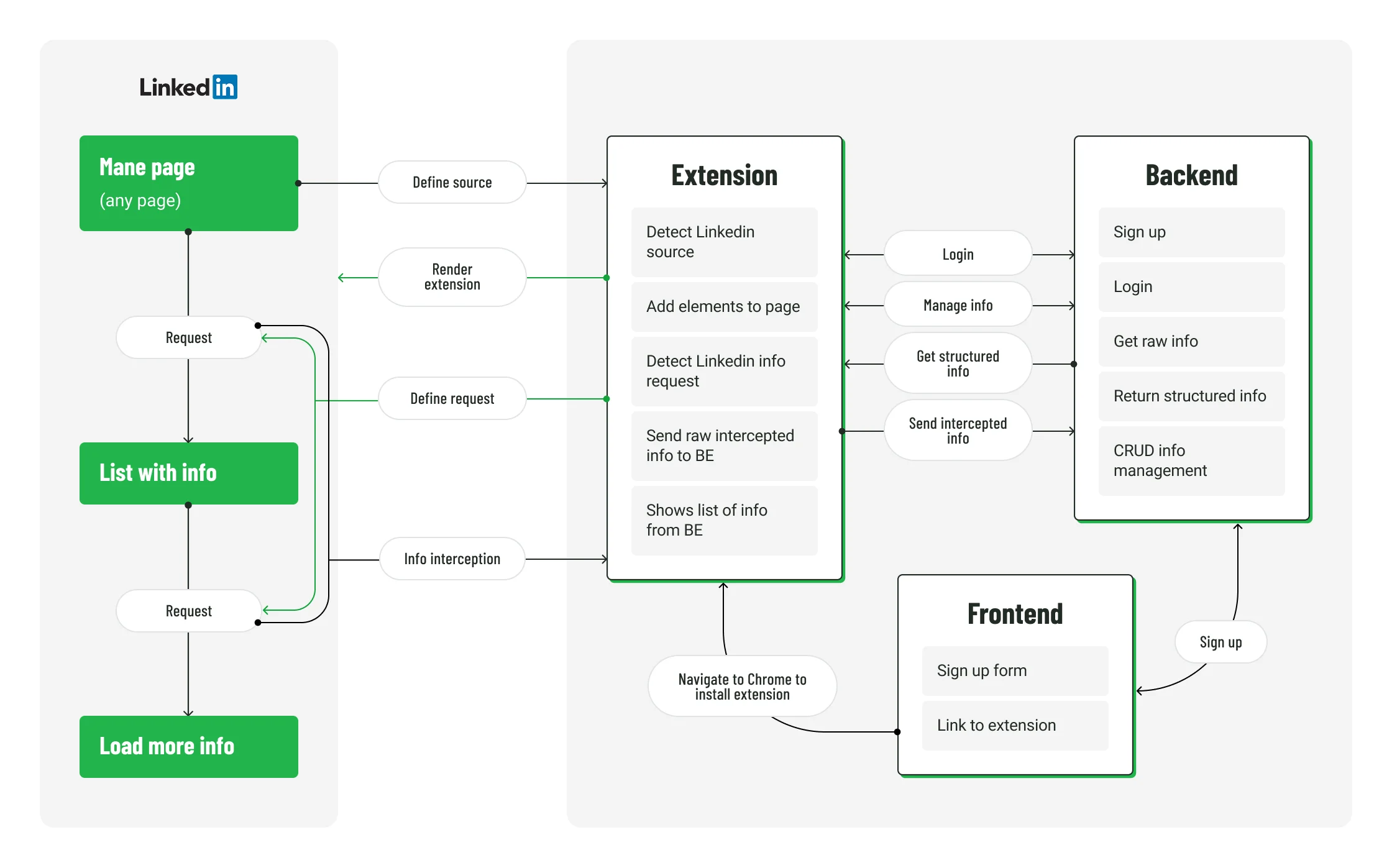
We chose a Lean, dual‑track Agile approach to ship a production‑ready release fast while staying flexible. Discovery stayed slightly ahead of delivery so we could validate the riskiest pieces early (reading LinkedIn’s Saved page reliably, keeping permissions minimal, and preparing a compliant Manifest V3). The goal was to focus on essential features — post retrieval, tagging, filtering, and search — and bring a working product to users quickly.
Solution
Within the agreed-upon time and budget, we delivered a lightweight Chrome extension that seamlessly integrates with LinkedIn’s interface. Its purpose is to help users easily find, organize, and revisit saved LinkedIn posts — by keyword, author, tag, or date.

Key features
- Authorization: secure account creation, login, and password reset.
- Post retrieval: automatic fetching of saved posts directly from LinkedIn via scroll action in the saved posts menu.
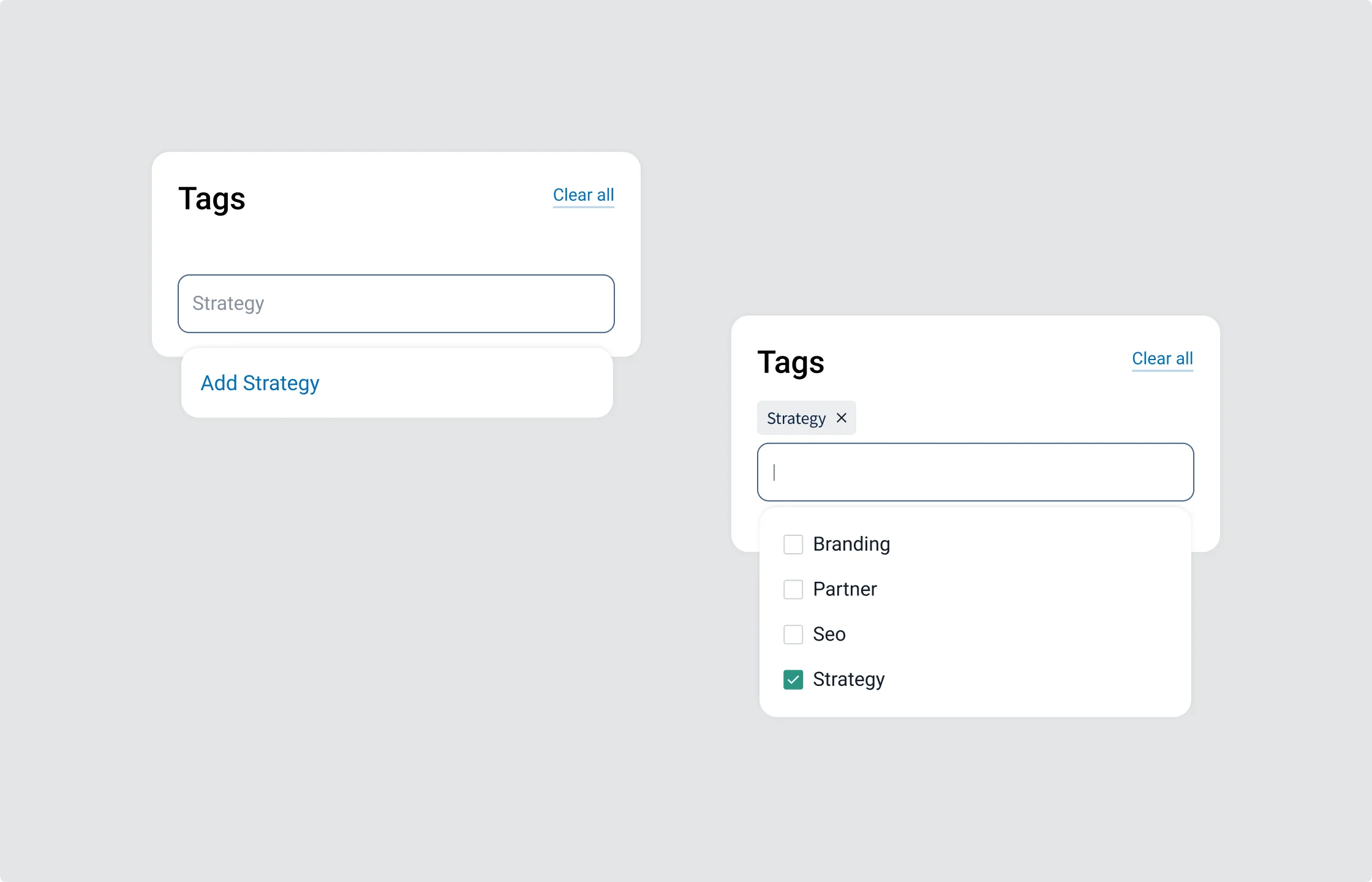
- Tag management: create and manage custom tags for better organization of saved posts.
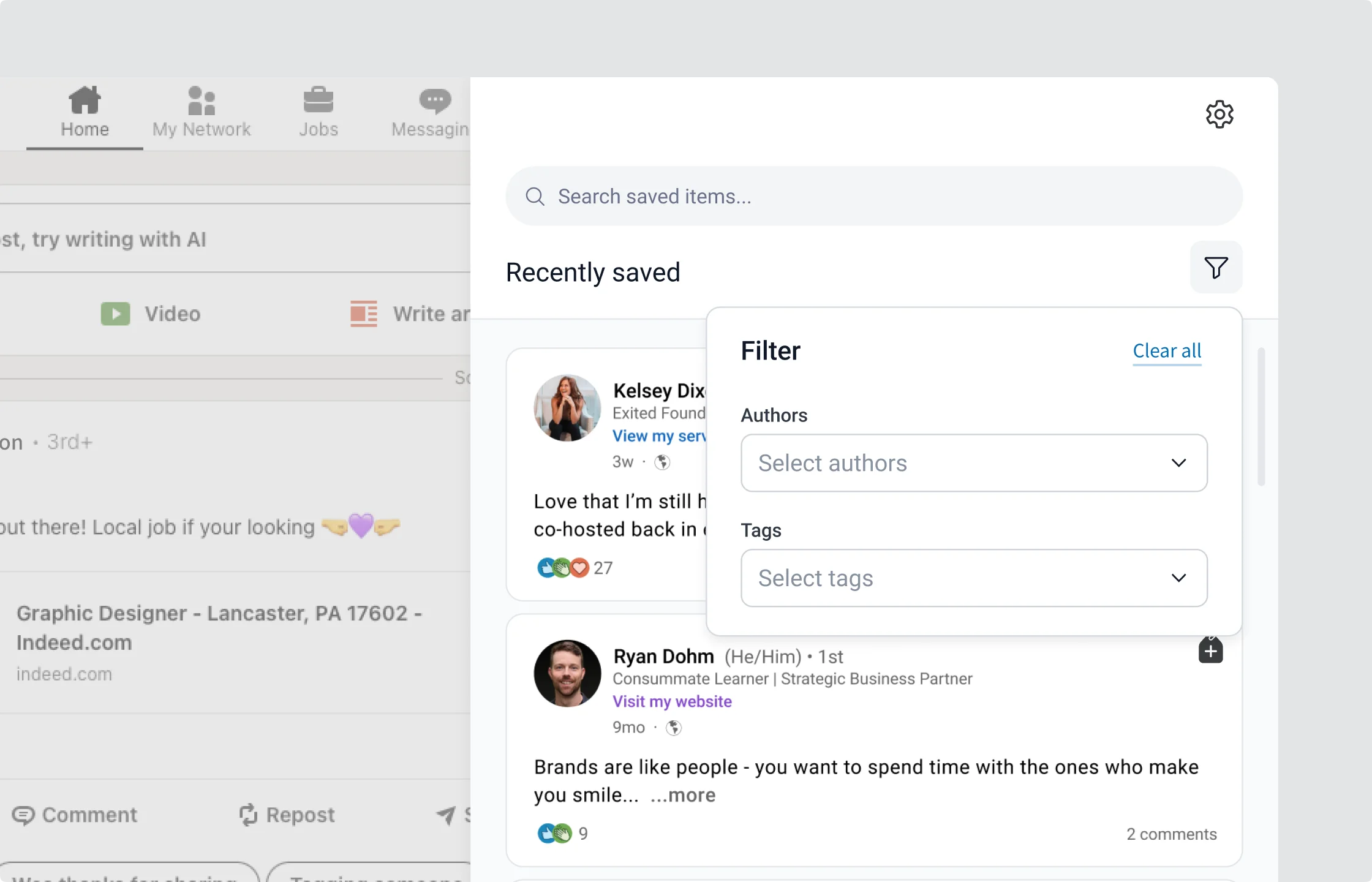
- Post management: search and filter posts by author, tag, or keyword; sort by save date.
- Profile management: manage account information and settings.
Architecture and simplicity
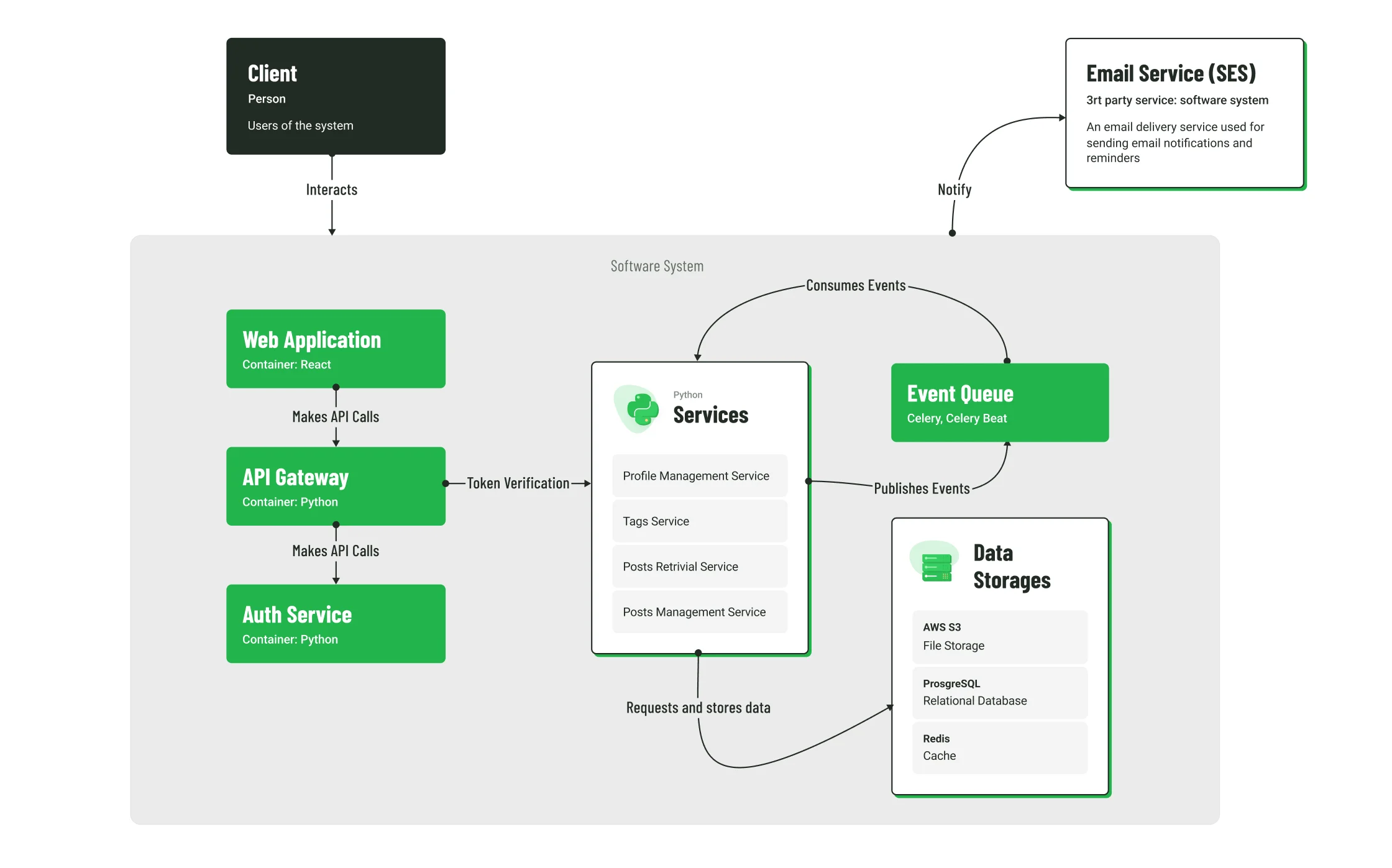
The extension connects to a backend built on Python-based services and stores user data securely in PostgreSQL and AWS S3.
What sets this solution apart is its simplicity. Instead of overwhelming users with dozens of options, it provides just the essential tools, keeping the interface clean, fast, and focused on productivity.
UX choices that mattered
- Keep the surface small. One screen for search and filters. One dialog for tagging.
- Only the essentials. No complex foldering, no social layer, no analytics dashboard.
- Make speed visible. Instant search results; tags suggest themselves as you type.
Technology Stack
Results
The extension successfully launched as a fully functional production product, available in the Chrome Web Store. Within weeks of release, early adopters started using it actively to organize their LinkedIn content. Under the project, we managed to achieve the following key outcomes:
- Significant time savings. Users can now find saved posts in seconds instead of scrolling endlessly.
- Improved content organization. Tagging and filtering make knowledge retrieval simple and efficient.
- User satisfaction. Clean UI and stable performance received highly positive feedback.
- Market potential. The MVP validated demand for lightweight productivity tools for professionals.
- Smooth collaboration. Project delivered on time and within budget, meeting all technical and business objectives.
Beyond the technical success, the project helped reinforce the agency's position as one that not only designs but also launches functional digital products — a strong case for their own portfolio and brand credibility.
More Case Studies

Espresa: Custom Employee Service Platform
A culture benefits platform delivering an immersive employer experience, contributing to better recognition of HR work, and improving the overall company’s image.

Development of an Online Marketplace for Professional Services
Web and mobile solution for streamlining professional services — it’s an online marketplace that provides clients real-time access to experts.